Undertale Test Place Reborn Settings & QoL Tools
Tune epilepsy options, Anti Teaming, keybinds, and topbar utilities before your next Ranked set.
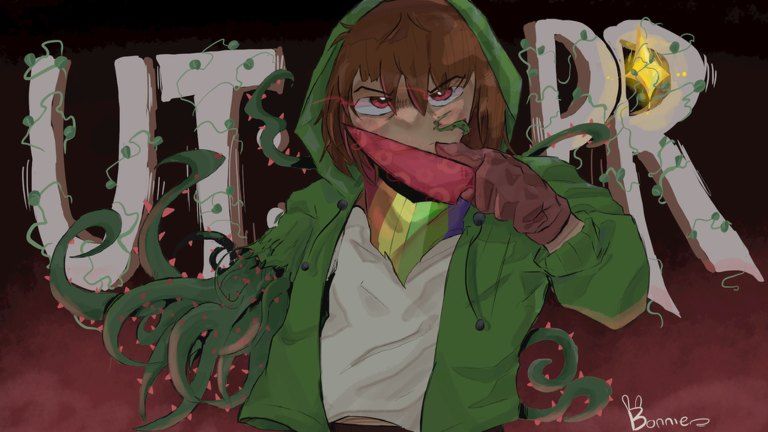
Undertale Test Place Reborn is flashy by design — bones, chaos, phase swaps, and 16-player collisions. This Tools Hub covers the settings and quality-of-life features that make the game playable longer: epilepsy-friendly toggles, Anti Teaming, smarter keybinds, and the in-game topbar. None of these replace practice on the Guides Hub, but they remove avoidable friction.
Official place blurb language already warns about flashy effects and points players at settings. Treat that seriously before you blame “lag” for missed Perfect Blocks.
Epilepsy & screen-effect settings
UTPR includes intense flashes during supers, phases, and crowded confirms. Before your first Main lobby:
- Open the in-game settings panel from the topbar or pause flow.
- Locate options that disable or reduce screen effects / flashes.
- Apply changes and test in Casual (no KDR pressure) so you can look away safely if needed.
- Re-check after large Updates — UI migrations sometimes reset toggles.
If you still feel uncomfortable, lower Roblox graphics, enable OS blue-light filters, and take breaks between Challenge sets. Competitive progress is not worth a migraine. Pair comfort settings with mechanical drills from Getting Started.
Anti Teaming setting
Public servers occasionally devolve into stacked focuses. UTPR exposes an Anti Teaming setting so you can opt into fairer fight distribution:
- Enable Anti Teaming when you want cleaner multi-fights instead of coordinated dogpiles
- Keep it in mind for Ranked warmups if pubs feel hopeless before you ever learn a matchup
- Remember that harassment and streak abuse are still against community rules even with the setting on
Anti Teaming is not a wallhack and not a script. For actual cheat risk education, read the Scripts Hub — and then stay on the legitimate side.
Keybind remap tip: move 6+ near WASD
Default skill slots 1–9 plus Q/E panels can stretch your hand away from movement. Practical remap habits used by battlegrounds players:
- Keep WASD, dash (C / double-tap), Block (F), and teleport (R) untouched until muscle memory exists
- Shift rarely used high-number skills (6–9) onto keys adjacent to WASD or mouse side buttons if the bind UI allows
- Put your most common confirm or anti-air on the easiest chord
- Leave lock-on (L / wheel) and relock (H/J) discoverable — many deaths are lost cameras, not lost DPS
After remapping, spend ten minutes in Customs doing movement-only drills: dash, run (Ctrl+WASD), Block, Perfect Block blue-glow taps, and teleport cooldown tracking (5s). Stamina still caps at 20; binds cannot invent more meter.
Topbar features worth opening every session
The in-game topbar packs utilities new players skip:
- Controls reference — verify binds after a patch
- Codes / redeem entry when a drop exists (see Codes; none active currently)
- Gamepass purchases & gifting — often cheaper in-place than browsing cold
- QoL toggles bridging into the settings discussed above
- Shortcuts that keep you from alt-tabbing during Ranked queues
If a YouTube video tells you to download an “external UTPR tool.exe,” stop. Real tools for this game live inside Roblox settings and topbar panels, not random executables.
Mode-specific QoL habits
| Mode | Tooling habit |
|---|---|
| Main | Anti Teaming on when pubs stack; epilepsy toggles verified |
| Ranked (30+ kills) | Stable binds only — never experiment mid-climb |
| Customs | Lab remaps and phase visuals safely |
| Rush (~70% CDR) | Expect denser VFX; keep flashes reduced if sensitive |
| Casual | Best place to test new binds without KDR stress |
| Randomizer | Confirm you can reach every skill after a random kit |
Use /challenge when you need a quiet 1v1 laboratory without changing global settings.
Accessibility & performance checklist
- Reduce screen effects first, graphics second
- Close overlay injectors — they conflict with fairness and ToS
- Keep Discord overlays minimal if they steal focus from blue-glow cues
- On laptop trackpads, prefer a mouse for lock-on wheel inputs
- Revisit this Tools Hub after UI reworks listed on Updates
How tools connect to the rest of the wiki
Comfort settings make it possible to learn Asgore’s tank timing, Jevil’s pressure, or Gaster’s ceiling without burning out — roster context lives on Players, grades on Tier List. Official Discord, Trello, and Miraheze remain linked from the Links Hub.
When promo codes return, redemption still routes through topbar/Discord, not through third-party “generators.” Until then, the Codes Hub will keep saying none are live.
Treat this page as your pre-fight ritual: effects, Anti Teaming, binds, topbar, then queue. Ten seconds of settings prevent an hour of frustration.
Frequently Asked Questions
Quick answers for Undertale Test Place Reborn players.
Where do I disable flashy screen effects in UTPR?
Open the in-game settings via the topbar/pause flow and turn down or disable screen effects. Test changes in Casual before Ranked.
What does Anti Teaming do?
It is a fairness-oriented setting that helps reduce coordinated stacking in public fights. Enable it when pubs feel hopelessly stacked.
How should I remap skills?
Keep movement, Block, and teleport stable, then move high-number skills (6+) closer to WASD or mouse side buttons so confirms stay reachable.
Are external .exe “UTPR tools” safe?
No. Real QoL lives in the Roblox topbar and settings. External executables are a malware and ban risk — see the Scripts Hub.